Profile
Profile shows the details of your own account. Everything is read only. To change your details, ask someone who can edit users (see Create, View and Edit a User).
To open it: in the left menu, click Profile & Security > Profile.
Permissions
Set in Role & Permission:
| Item | Permission |
|---|---|
| Profile menu and page | Profile & Security > Profile details |
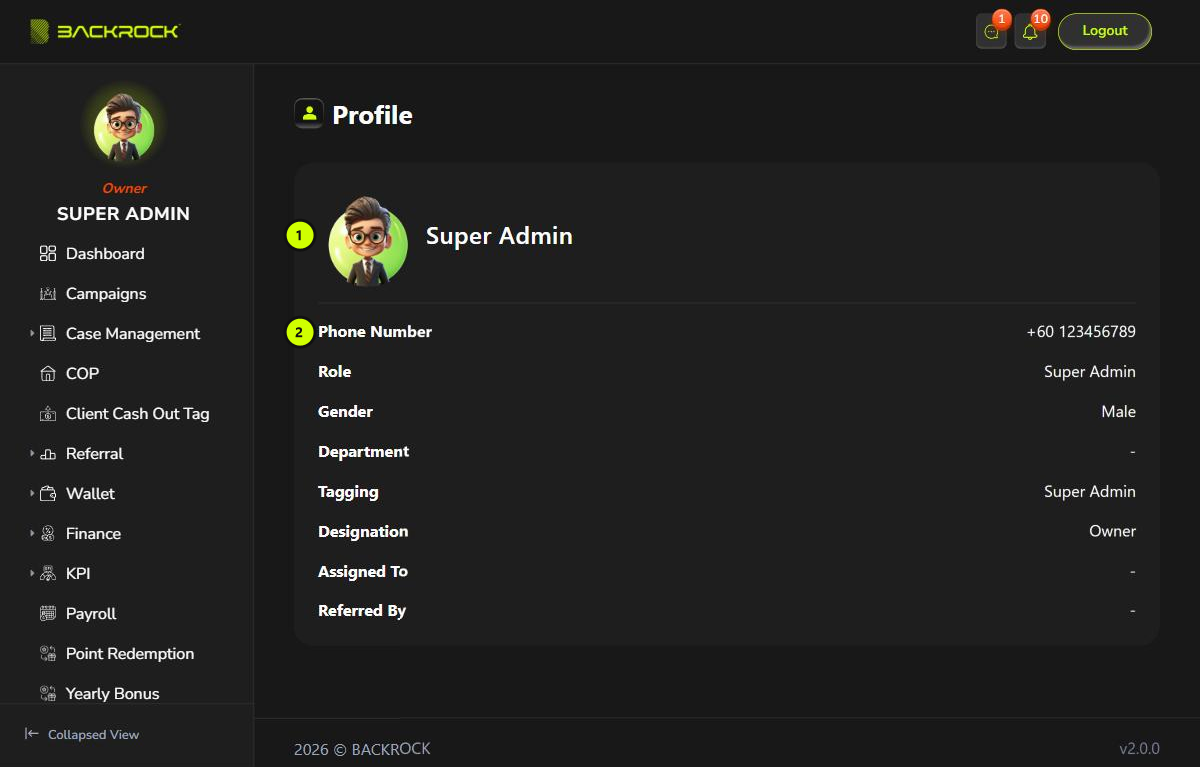
1. Name and badge
Your name, with the badge for your designation.
2. Details
| Detail | What it shows |
|---|---|
| Phone Number | The phone number you log in with |
| Role | Your System Role |
| Gender | Your gender |
| Department | Your department |
| Tagging | Your position |
| Designation | Your rank: Owner, Lead, Senior Executive or Executive |
| Assigned To | Your leader in your department |
| Referred By | Your upline: the person who referred you |
A detail shows - when it is empty.