Referral Overview
The Referral Overview shows your current rank, the size of your team, and how close you are to the next rank.
To open it: in the left menu, click Referral > Overview.
Permissions
Set in Role & Permission:
| Item | Permission |
|---|---|
| Overview menu and page | Referrals > View |
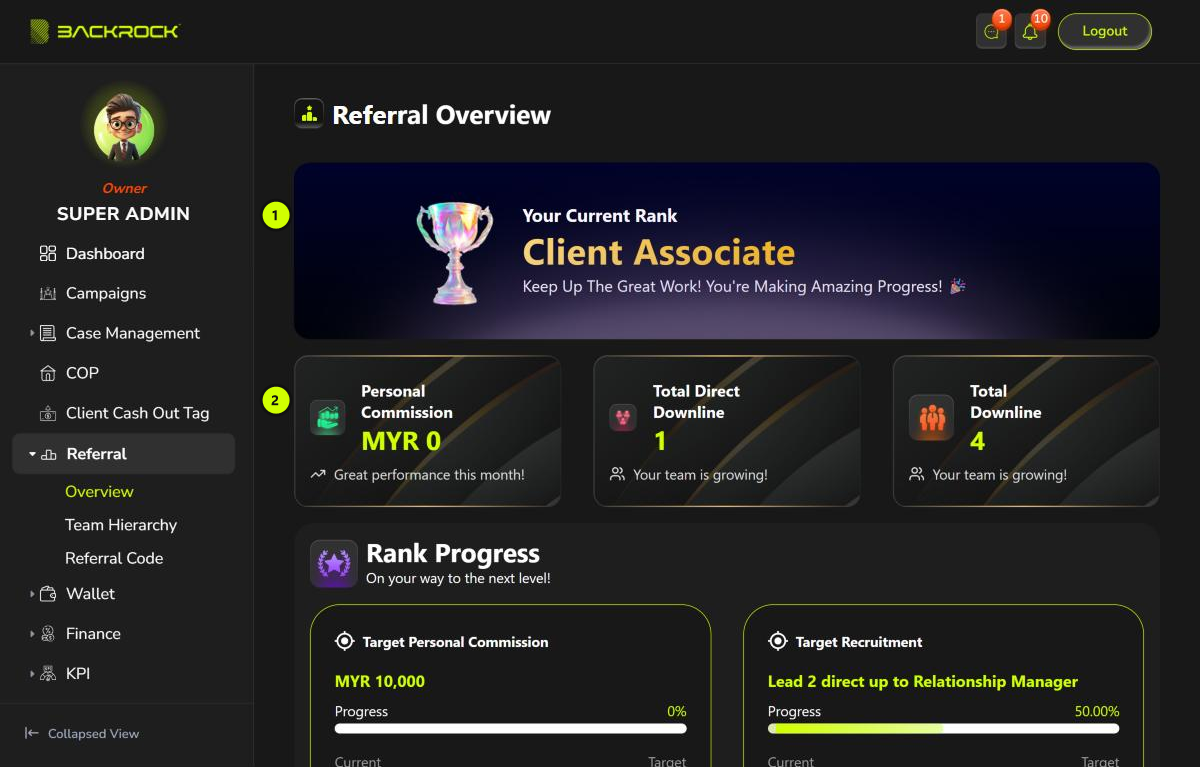
1. Your Current Rank
The rank you have now, for example Client Associate.
2. Summary cards
| Card | What it shows |
|---|---|
| Personal Commission | The total of your own commissions that have been paid out, in MYR |
| Total Direct Downline | How many agents registered with your referral code |
| Total Downline | How many people are in your whole team: your direct downlines, their downlines, and so on |
To grow your team, share your link from Referral Code.
Rank progress and downlines
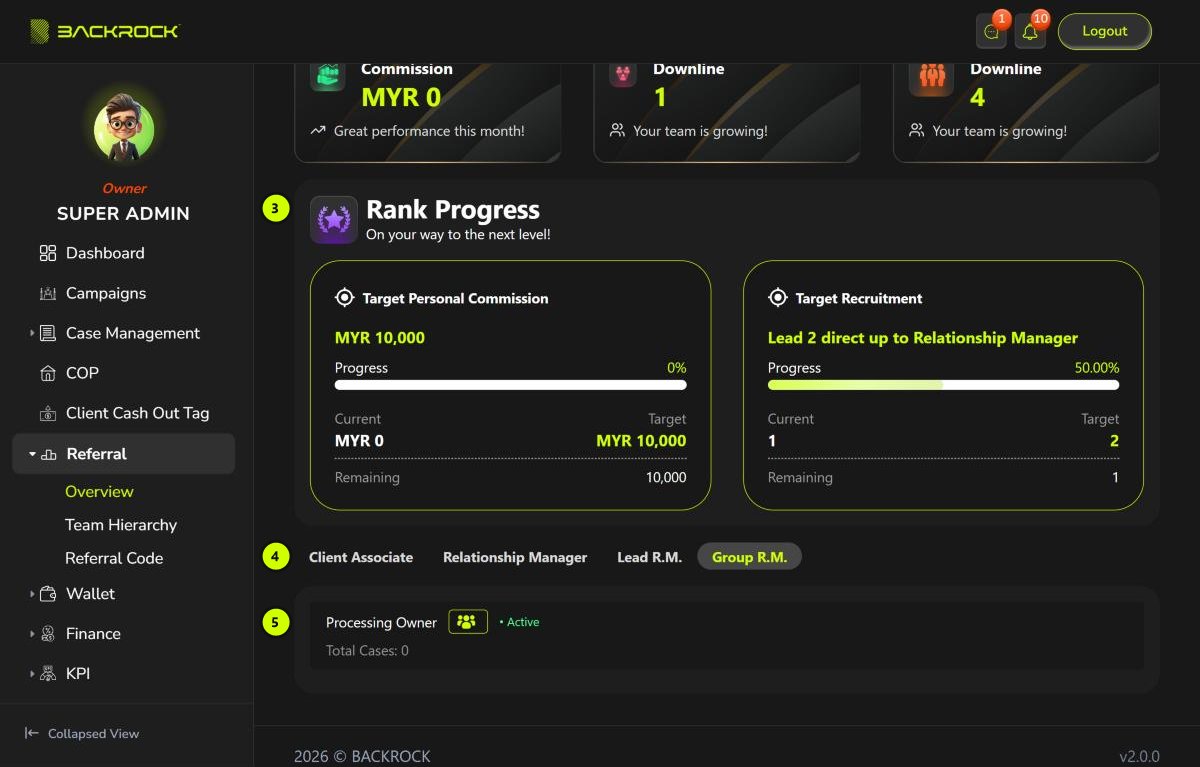
3. Rank Progress
Shows what you need to reach the next rank.
| Card | What it shows |
|---|---|
| Target Personal Commission | The personal commission you need for the next rank |
| Target Recruitment | How many direct downlines you need for the next rank, for example Lead 2 direct up to Relationship Manager |
Each card shows:
- Progress: how far you are, as a percentage and a bar.
- Current: what you have now.
- Target: what you need.
- Remaining: how much more you need.
If you already have the highest rank, you see You have reached the highest rank. instead of the cards.
4. Rank tabs
There is a tab for each agent rank. Click a tab to see your direct downlines who have that rank.
5. Downlines
Each direct downline at the chosen rank is shown with:
- Their name.
- Active or Inactive.
- Total Cases: how many of the cases they handle are completed.
If you have no direct downlines at that rank, you see No data found.
To see your whole team, not only your direct downlines, open Team Hierarchy.