Activity Logs
Activity Logs records the actions people take in the system, for example logging in, creating or updating a case, approving a payment or changing a setting. The page heading is Activity Log.
To open it: in the left menu, click Report > Activity Logs.
You only see your own actions, unless your role can view everyone's activity.
Permissions
Set in Role & Permission:
| Item | Permission |
|---|---|
| Activity Logs menu, list and Export | Reports > View case activity logs |
| Everyone's activity, not only your own | Activity Logs > View all |
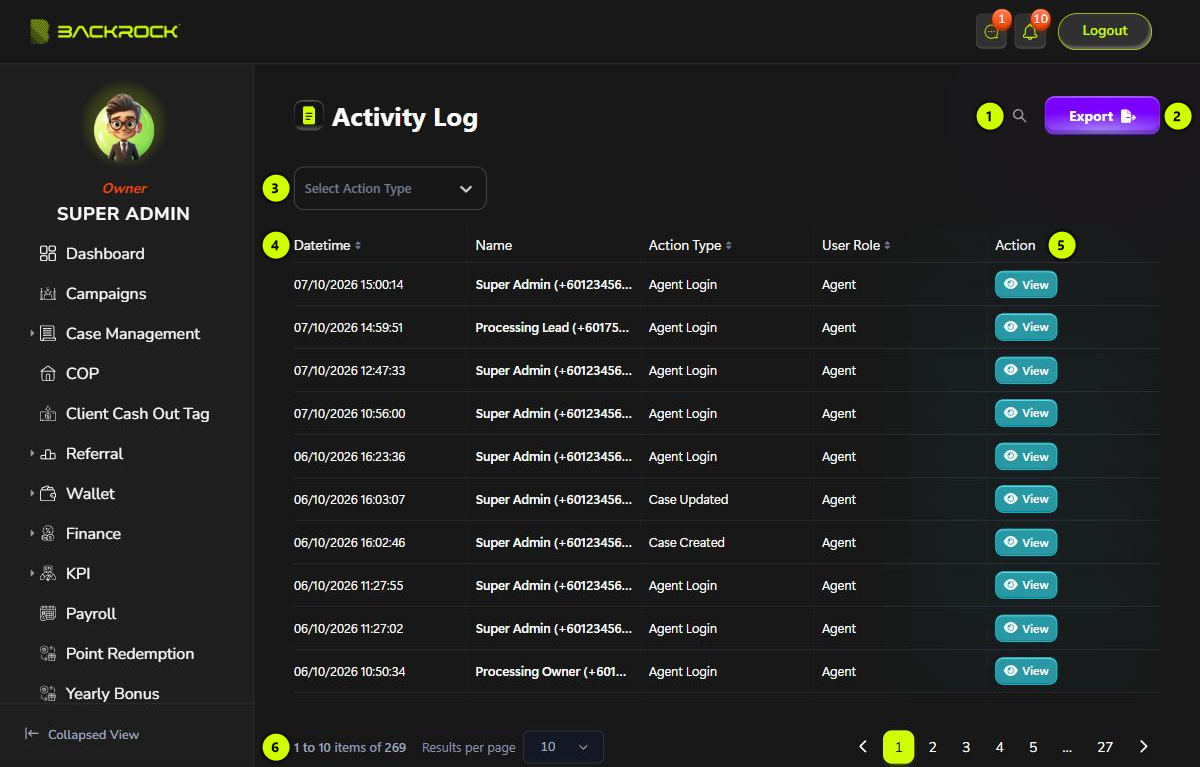
1. Search
Click the magnifier and type a name or phone number to find the actions of one person. The list updates after you stop typing.
2. Export
Downloads the log as a CSV file that you can open in Excel. The current search and filter are applied. The file has the Datetime, Name, Action Type and User Role.
3. Action type
Choose an action, for example Agent Login or Case Updated, to show only that action. Click × to show all again.
4. Activity table
The newest actions are shown first. Click Datetime or Action Type to sort.
| Column | What it shows |
|---|---|
| Datetime | When the action happened |
| Name | Who did it, with their phone number |
| Action Type | What they did |
| User Role | Agent, Customer or System (done automatically by the system) |
5. View
Opens the details of the action. See Activity details.
6. Pages
Use Results per page and the page numbers to move between pages.
Activity details
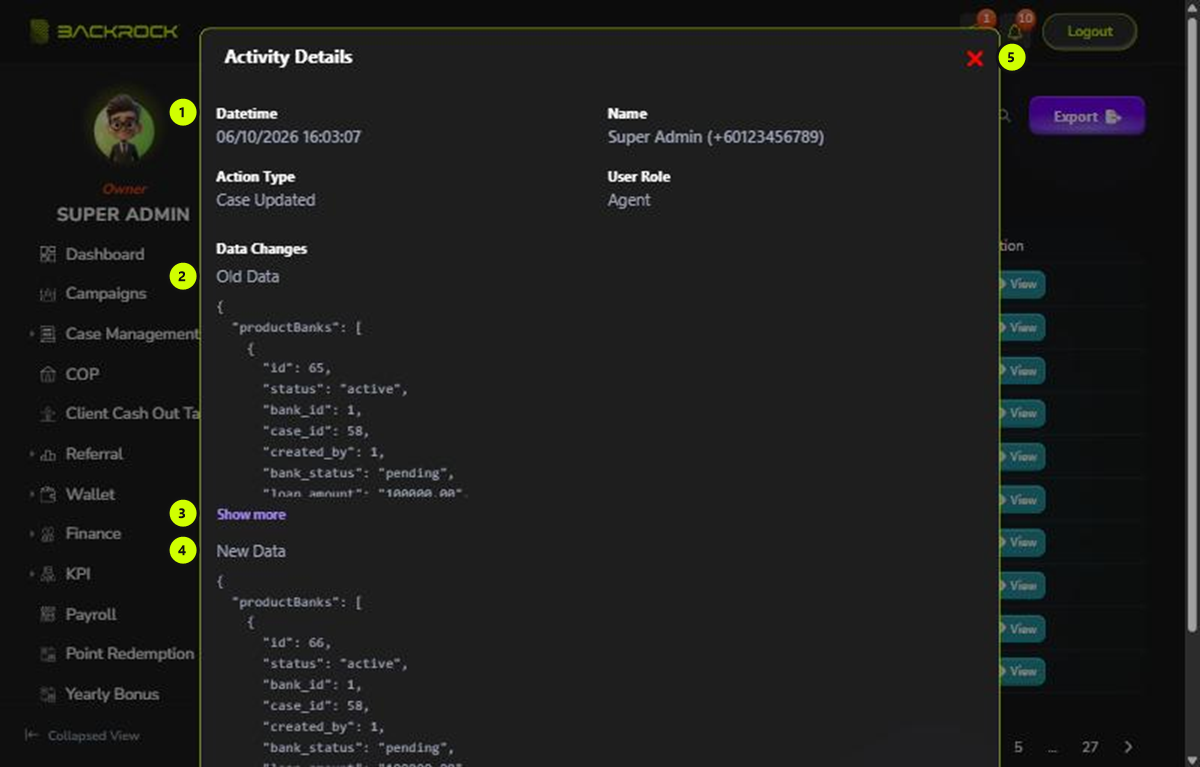
- Details: the Datetime, Name, Action Type and User Role.
- Old Data: what the record looked like before the action.
- Show more: long data is cut short. Click Show more to see all of it, and Hide to make it short again.
- New Data: what the record looked like after the action.
- Close: closes the window. There is also a Close button at the bottom.
What Data Changes shows depends on the action:
| Action | Old Data | New Data |
|---|---|---|
| Something is created | Empty | The new record |
| Something is updated | The fields before the change | The same fields after the change |
| Something is deleted | The deleted record | Empty |
| Login | Empty | Empty |
Passwords and other secret values are hidden.