Badge Entitlements Report
Customers earn badges when they reach a target, for example a number of referrals, a loan amount or a number of points. The system checks the targets automatically and gives each badge once. This report lists every badge a customer has earned.
To open it: in the left menu, click Report > Badge Entitlements Report.
Permissions
Set in Role & Permission:
| Item | Permission |
|---|---|
| Badge Entitlements Report menu, list and Export | Reports > View badge entitlements report |
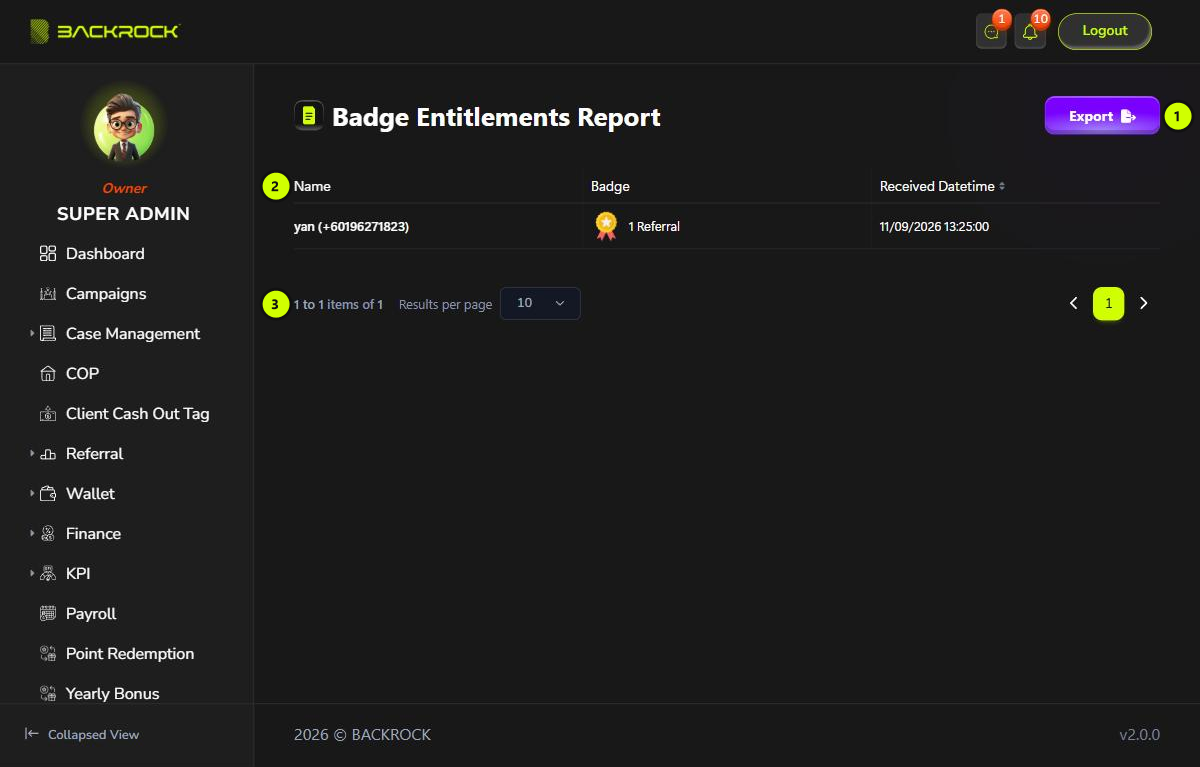
1. Export
Downloads the list as a CSV file that you can open in Excel, with the Name, Badge and Received Datetime.
2. Badge table
The newest badges are shown first.
| Column | What it shows |
|---|---|
| Name | The customer, with their phone number |
| Badge | The badge's picture and name |
| Received Datetime | When the customer earned the badge |
3. Pages
Use Results per page and the page numbers to move between pages.