Tagging
A tag is a user's position, for example Processing Lead or Deal Maker. Each user has one tag, chosen in Tagging on the user form (see Create, View and Edit a User). Some tags also decide who gets which commission, for example the Processing Lead and Processing Owner get the IMS lead and owner bonuses.
This page lists the tags. It is for reference only; tags can't be added or changed here.
To open it: in the left menu, click Setting > Tagging.
Permissions
Set in Role & Permission:
| Item | Permission |
|---|---|
| Tagging menu and page | Status Configurations > View (there is no separate Tagging permission) |
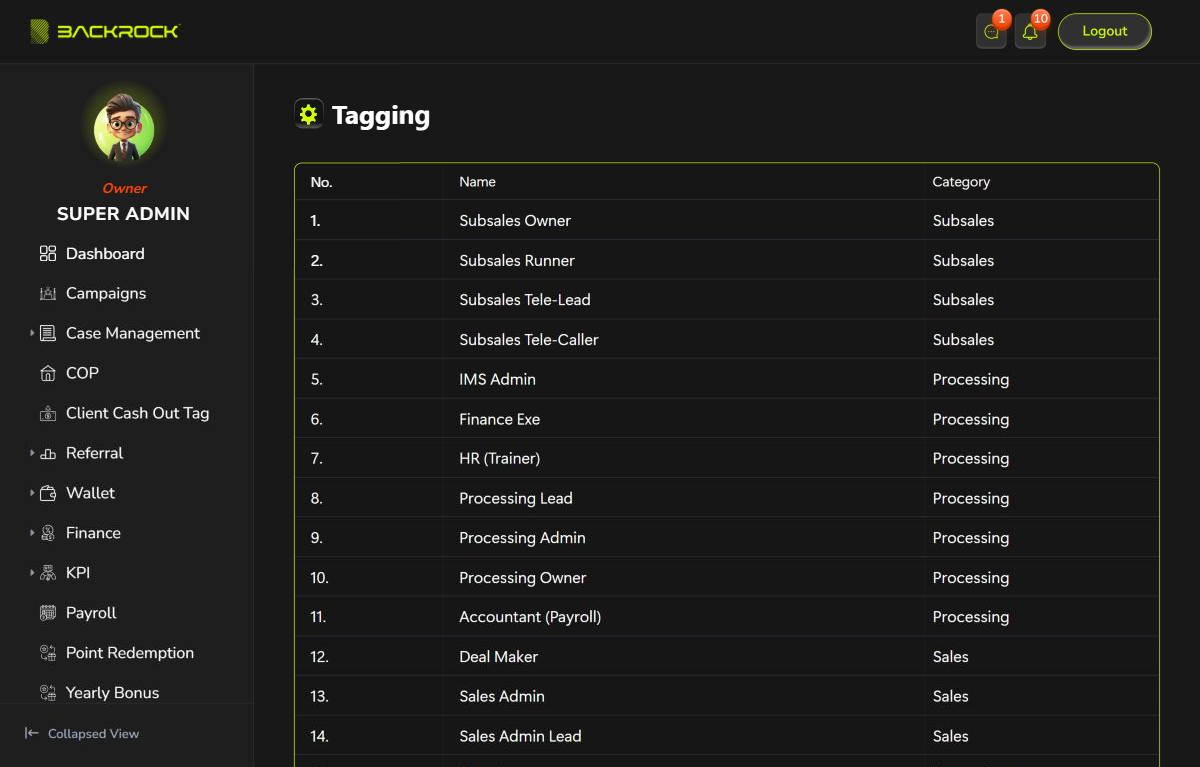
| Column | What it shows |
|---|---|
| No. | The row number |
| Name | The tag |
| Category | The department category the tag belongs to: Subsales, Processing or Sales. A user can only have a tag of their department's category |
Some tags can only be given to one user in the whole company: Subsales Owner and Processing Owner. If the tag is already taken, saving the user shows Tag "…" has reached its limit of 1 users.