Lucky Spin
On the Lucky Spin page you can use the points in your Points Wallet to spin a prize wheel.
To open it: click Lucky Spin in the left menu.
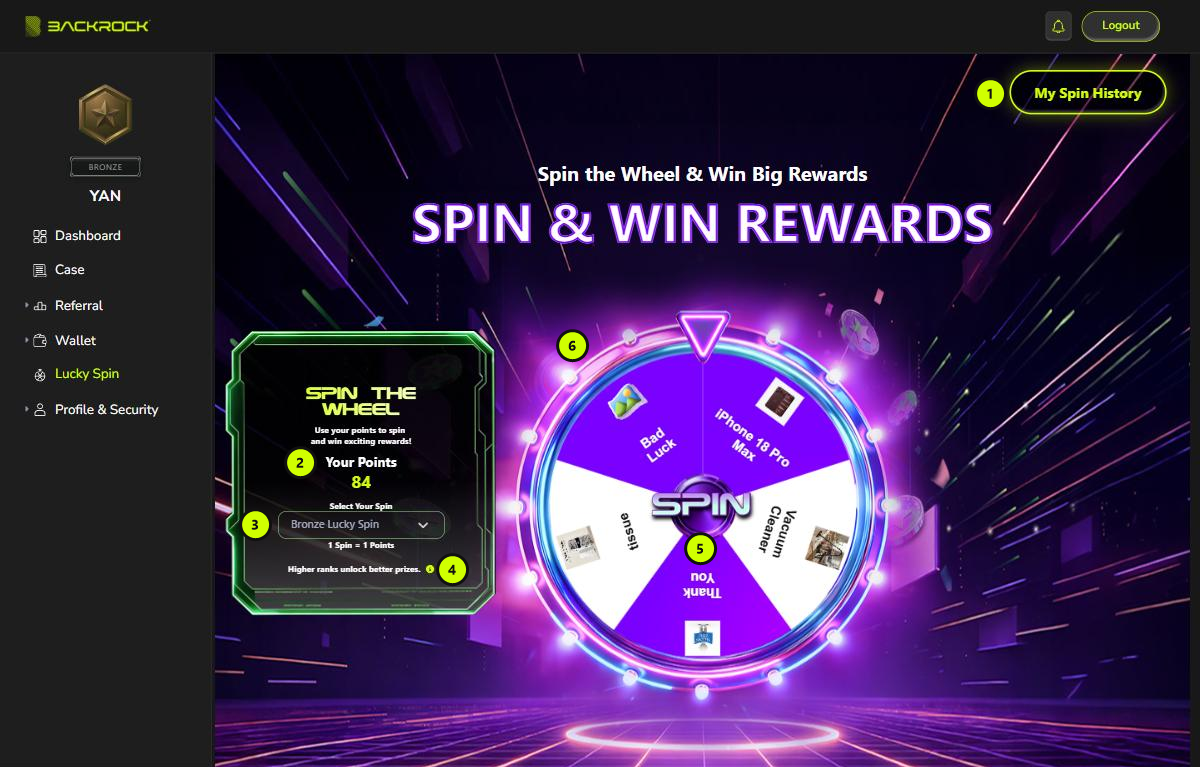
1. My Spin History
Opens the list of your past spins. See My Spin History below.
2. Your Points
The points you can use now.
3. Select Your Spin
Choose a spin campaign. The cost of one spin is shown below it, for example 1 Spin = 1 Points.
Which campaigns you can choose depends on your rank. A campaign only appears while it is running. If the list shows No options, there is no campaign for you at the moment.
4. Prize list (ⓘ)
Click the ⓘ icon to see every campaign you can join, with the points needed per spin and all its prizes.
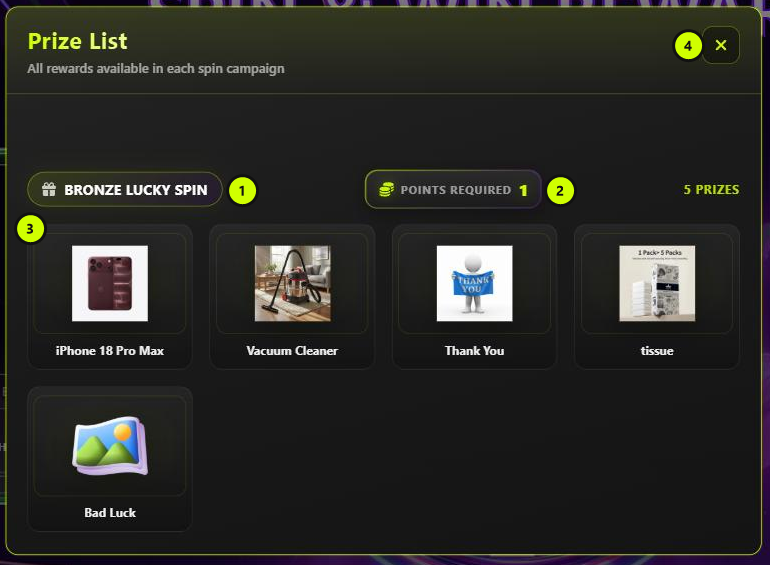
- Campaign name
- Points required for one spin
- Prizes you can win in this campaign
- Close (✕)
5. SPIN
Click SPIN in the middle of the wheel:
- The cost of one spin is taken from your Points Wallet.
- The wheel spins and stops on a prize.
- A CONGRATULATIONS — You Have Won message shows your prize. Click Confirm to close it.
If you don't have enough points, you see an error and no points are taken.
6. Prizes on the wheel
Each slice of the wheel is one prize in the campaign you selected.
My Spin History
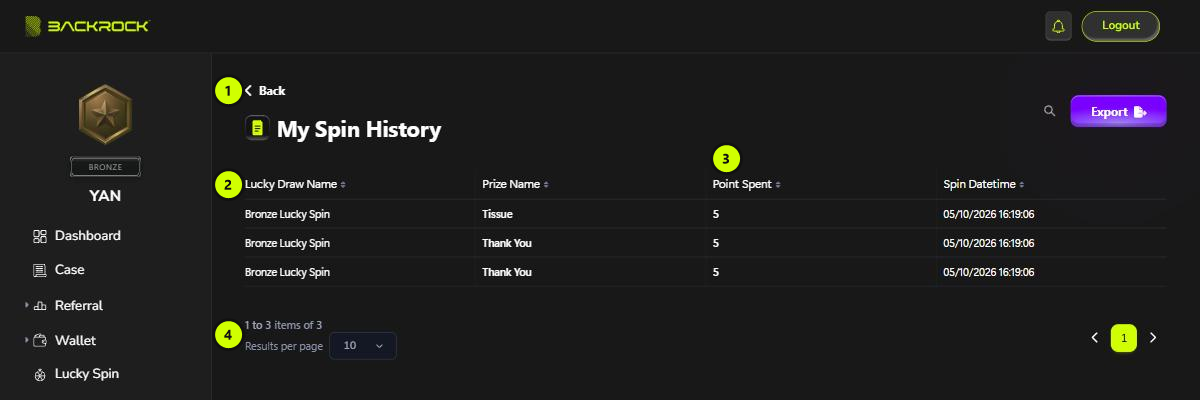
- Back: returns to Lucky Spin.
- Spin list: the campaign (Lucky Draw Name), the prize you won (Prize Name) and Spin Datetime.
- Point Spent: the points used for that spin.
- Pages: use Results per page and the page buttons to move through a long list.