Team Hierarchy
The Team Hierarchy shows you and the people who registered with your invitation, with the size of each person's team.
To open it: in the left menu, click Referral > Team Hierarchy.
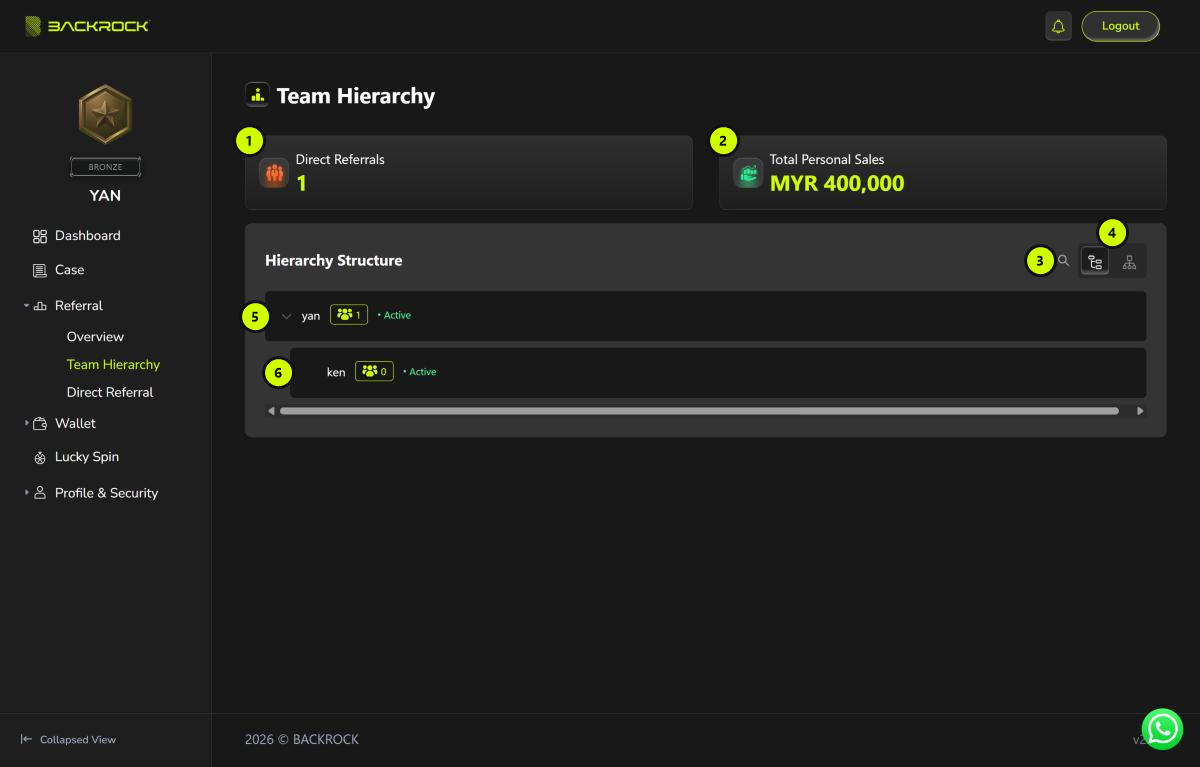
1. Direct Referrals
How many people have registered with your invitation.
2. Total Personal Sales
The total approved loan amount (MYR) of your own cases plus the cases of everyone in your referral network. This is the same number as Personal Sales on the Referral Overview.
3. Search
Click the search icon (🔍) and type a name to find a person.
4. List view and chart view
The Hierarchy Structure can be shown in two ways. Click a button to switch:
| Button | View |
|---|---|
| Left button | List view (shown when the page opens). See 5 and 6 below. |
| Right button | Chart view. See Chart view below. |
Both views show the same people.
5. You (list view)
You are shown at the top. The number next to your name is how many people you referred directly. Click the arrow (⌄) to hide or show the list below you.
6. Your direct referrals (list view)
Each row is one person who registered with your invitation. It shows:
- their name, and their rank if they have one
- their team size: the number next to the people icon, which counts everyone below them
- their status: Active or Inactive
Chart view
Click the right button (see 4) to see your team as a chart.
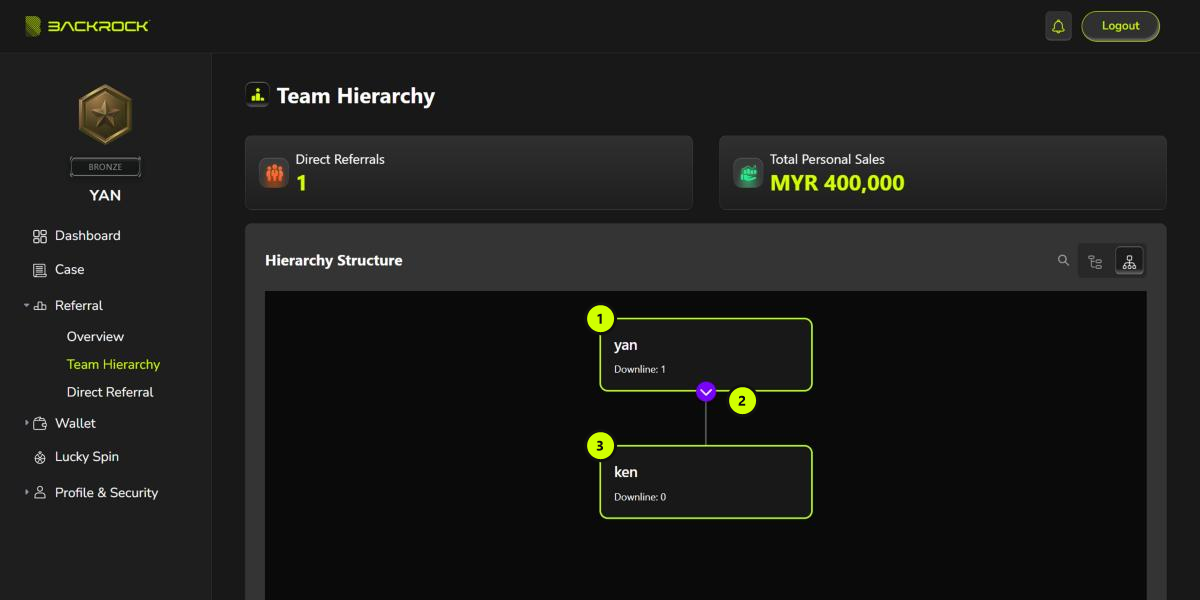
- Your card: your name. Downline is how many people you referred directly.
- Show or hide button: click the purple button to hide or show the cards below you.
- Direct referral card: one card for each person who registered with your invitation. It shows their name, their rank if they have one, and Downline, which counts everyone below them.