Point Redemption
On the Point Redemption page you can use the points in your Points Wallet to redeem rewards.
To open it: in the left menu, click Wallet > Point Redemption.
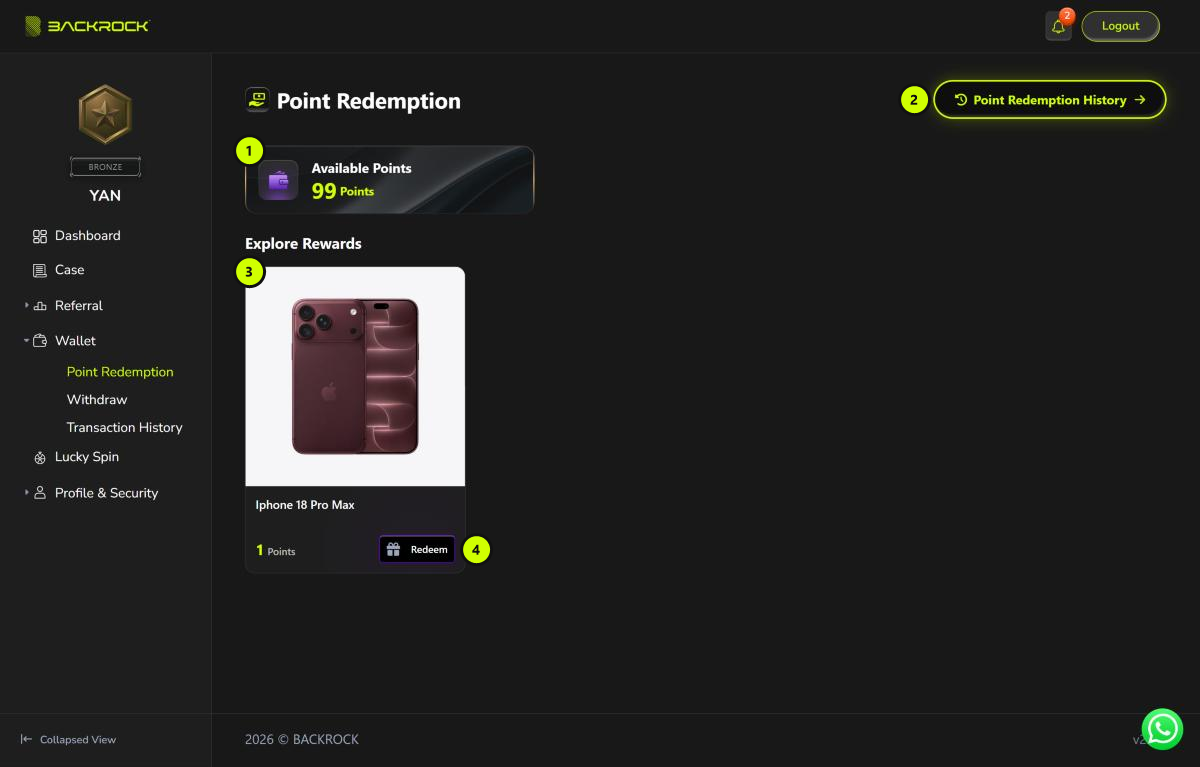
1. Available Points
The points you can use now.
2. Point Redemption History
Opens the list of your past redemptions. See Point Redemption History below.
3. Reward card
Each card is one reward, with its picture, name and points cost. Only rewards that are in stock are shown.
4. Redeem
Click Redeem (or the card) to open the redeem form.
Redeem a reward
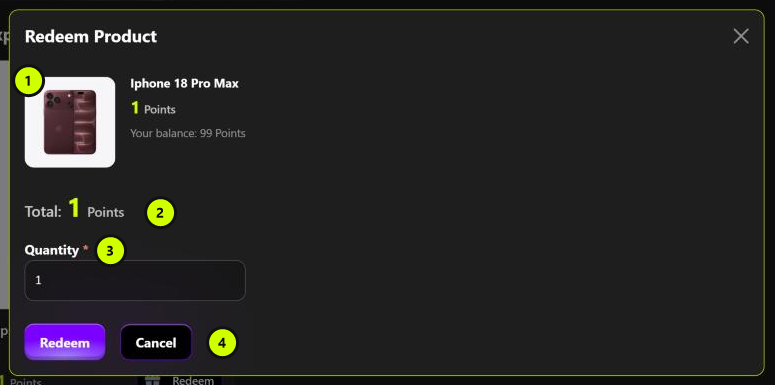
- Reward: the reward you chose, its points cost and your balance.
- Total: the total points you will use (points cost × quantity). If you don't have enough points, you see Insufficient points to redeem this product.
- Quantity: how many you want. It can't be more than the stock.
- Redeem / Cancel: click Redeem to continue, or Cancel to close the form.
If the reward needs to be delivered, the form also asks for:
| Field | Note |
|---|---|
| Recipient Name and Recipient Phone | Filled in with your details. You can change them. |
| Address Line 1, City, State, Postcode, Country | Required. Country is Malaysia by default. |
| Address Line 2 and Remark | Optional |
After you click Redeem, check the summary and click Confirm. The points are taken from your Points Wallet straight away.
Point Redemption History
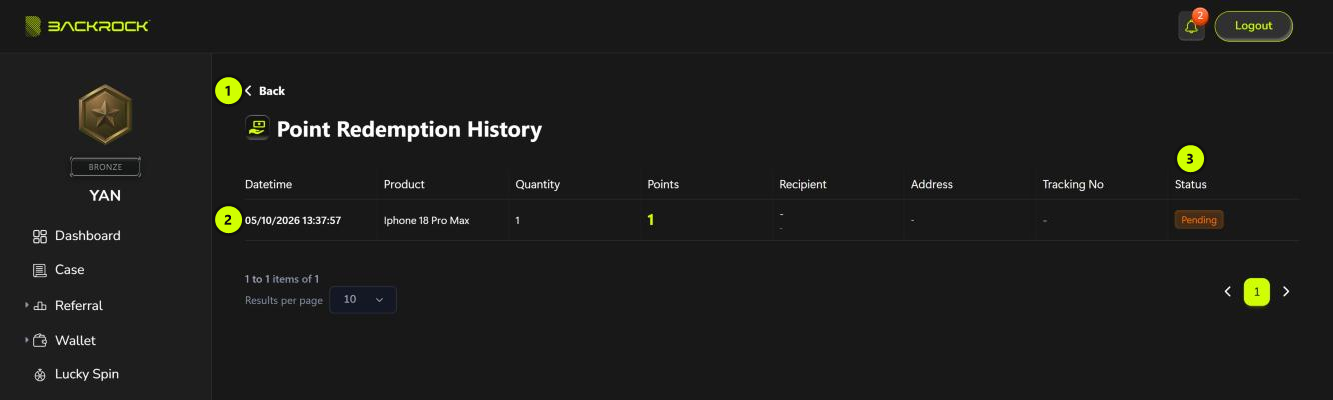
- Back: returns to Point Redemption.
- Redemption list: when you redeemed, the reward, quantity, points used, recipient, address and Tracking No. For a reward that doesn't need delivery, Recipient, Address and Tracking No show -.
- Status:
| Status | Meaning |
|---|---|
| Pending | Your redemption is being processed. |
| Delivered | The reward has been delivered. A tracking number may be shown. |
| Cancelled | The redemption was cancelled by BackRock. Your points are returned to your Points Wallet. |
note
You can't cancel a redemption yourself. If you need help, contact BackRock.